

Every hour your team logs falls into one of two buckets: hours you can charge a client for, and hours you can’t. Get that split wrong, and one of two bad things happens — you under-bill clients for real work, or you eat the cost of meetings, admin, and internal fixes that should never have touched your margin. Most teams don’t lose money on big mistakes; they lose it an hour at a time, quietly, across a year of mislabeled timesheets.
What Are Billable and Non-Billable Hours?
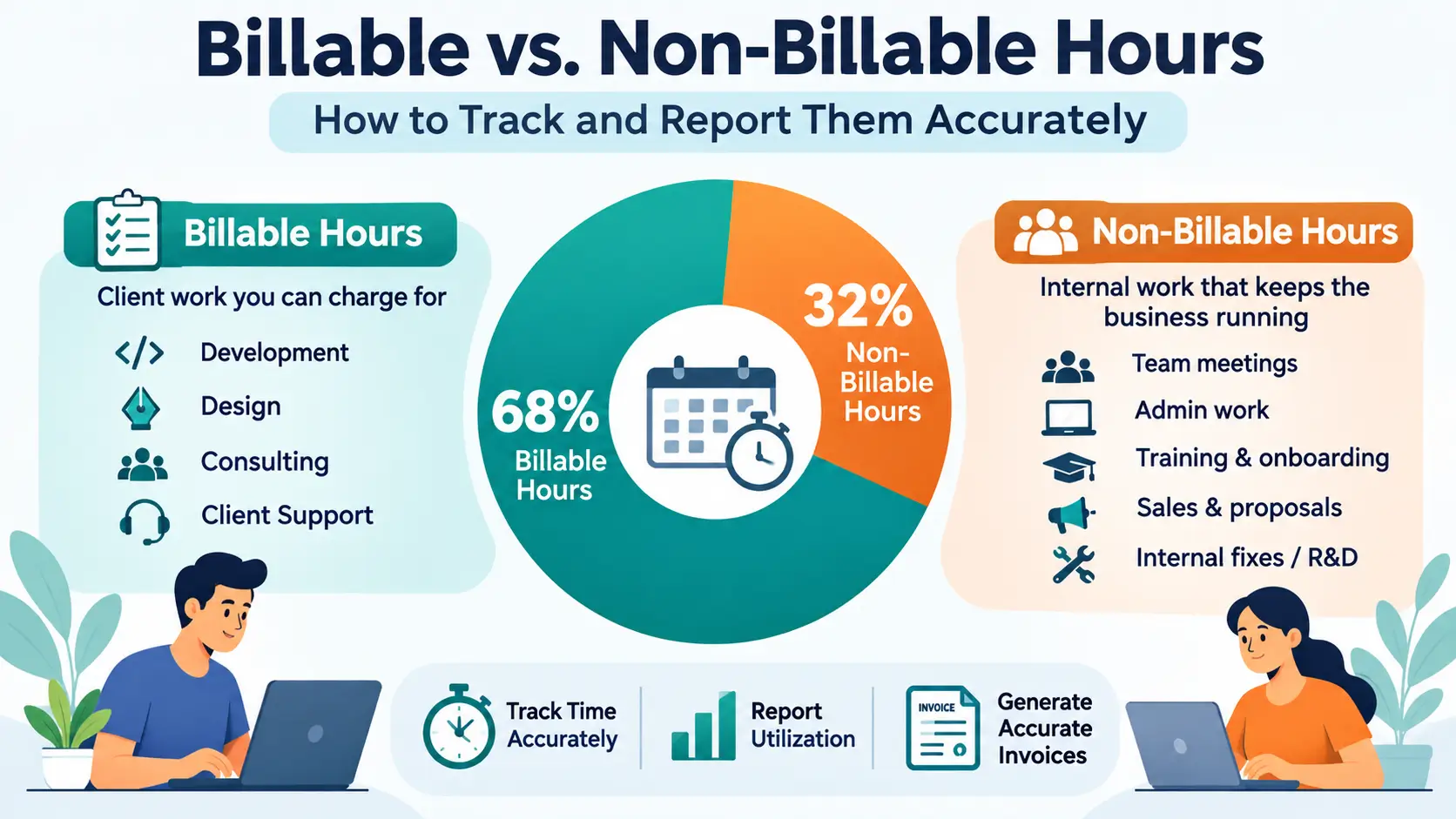
Billable hours are time spent on work a client has agreed to pay for — development, design, consulting, support covered under a contract or SOW.
Non-billable hours are everything else that keeps the business running but isn’t chargeable:
- Internal team meetings and standups
- Admin work (timesheets, invoicing, email)
- Training and onboarding
- Sales calls and proposal writing
- Fixing your own bugs outside the agreed scope
- Unpaid pitch or R&D work
Neither category is “bad” — non-billable time is necessary. The problem is when it goes untracked, because untracked non-billable time is invisible cost.
Why the Distinction Actually Matters
- Accurate invoicing. Clients should only see billable hours on their invoice. Mixing in internal meeting time either overcharges them (a trust problem) or forces you to manually strip it out every billing cycle (a time problem).
- True profitability per project. A project can look profitable on paper if you only count billable revenue, while actually losing money once you factor in the non-billable hours it quietly absorbed.
- Utilization rate. This is the single number agencies live or die by: billable hours ÷ total hours worked. A team at 85% utilization is healthy. A team at 50% is burning payroll on work nobody’s paying for — and you won’t know until you can see the split.
- Fewer scope disputes. When “is this billable?” is answered the moment the clock starts, you avoid the awkward conversation two weeks later about why a client is being charged for something they didn’t expect.
How to Tag Hours Correctly From the Start
The fix isn’t a better spreadsheet at the end of the month — it’s tagging time correctly the moment it’s logged. In OutputTime:
- Mark each project or task as billable or non-billable when it’s created, not after the fact.
- For mixed-purpose projects, break tasks down further (e.g., “Client Support” as billable, “Internal Retro” as non-billable) rather than tracking the whole project as one lump.
- Use the timer on the desktop or mobile app so hours are captured live, tagged correctly in the moment — not reconstructed from memory at 5pm on Friday.
Common Mistakes Teams Make
- Defaulting everything to billable because it’s easier, then manually adjusting invoices later (error-prone and time-consuming).
- Letting “quick fixes” go untracked — a 20-minute bug fix outside scope, done five times a week, adds up to real unbilled hours or real unaccounted cost.
- Not separating internal meetings by project, so a status call gets buried inside billable project time instead of flagged as overhead.
- No one reviewing the split until the end of the month, by which point the data is too fuzzy to trust.
From Tracked Hours to Accurate Invoices
This is where the billable/non-billable split pays for itself directly. Once hours are tagged correctly:
| Task | Hours | Type | On Invoice? |
|---|---|---|---|
| Client onboarding call | 2h | Billable | Yes |
| Feature development | 14h | Billable | Yes |
| Internal sprint planning | 3h | Non-Billable | No |
| Fixing scope-creep bug | 1.5h | Non-Billable | No |
| Total logged | 20.5h | — | 16h billed |
In OutputTime, invoices can be generated directly from logged timesheets — pulling in only the hours flagged billable, so nothing needs to be manually recalculated before it goes out to the client.
Reporting on Utilization, Not Just Hours
Logging time is only half the job — the real value comes from reporting on it. Use OutputTime’s reports to track:
- Utilization rate per employee and per team (billable ÷ total hours)
- Non-billable time by category, so you can see exactly where it’s going — meetings, admin, training — and whether it’s creeping up
- Project-level profit and loss, factoring in the non-billable time a project consumed, not just the invoiced amount
Seeing this monthly (not just at year-end) lets you catch a utilization drop — or a client eating more internal time than their contract covers — while there’s still time to act on it.
Quick Checklist
- Every project/task is flagged billable or non-billable at creation
- Timers are used to log time live, not reconstructed later
- Non-billable categories are specific enough to be useful (not just “other”)
- Invoices are generated from tracked billable hours, not manual recalculation
- Utilization rate is reviewed monthly, per team and per project
Make the Split Automatic
The teams that get this right don’t rely on discipline — they rely on a system that tags, tracks, and reports the split automatically. OutputTime’s timesheets, billable/non-billable tagging, and invoicing work together so the number that matters — how much of your team’s time actually turns into revenue — is always one click away.
[Start tracking billable and non-billable hours with OutputTime — it’s free.]